← The Resonance Portal
How it works · Admins
Accounting
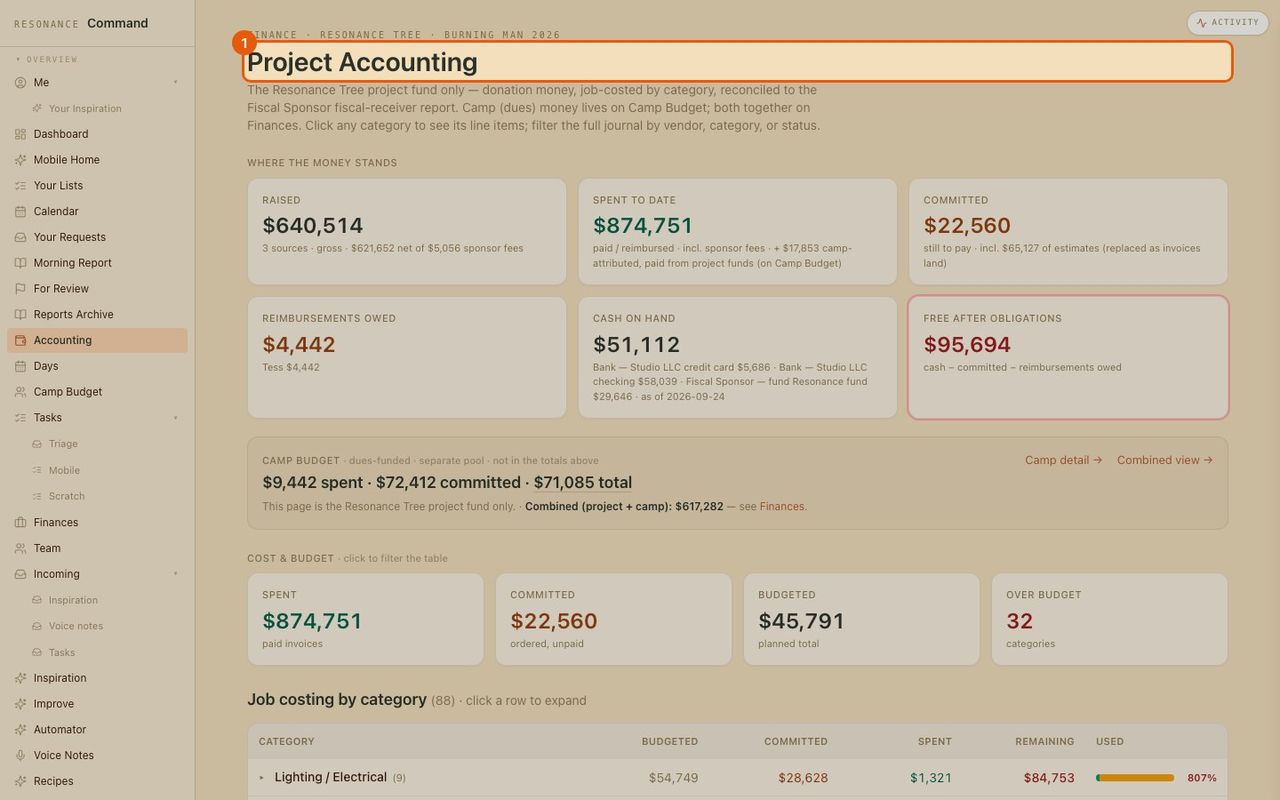
The books, always current: raised, spent, committed and owed, with a budget per category and every line item behind it. (All numbers here are made up.)
- 1
Open accounting
Accounting in the menu.
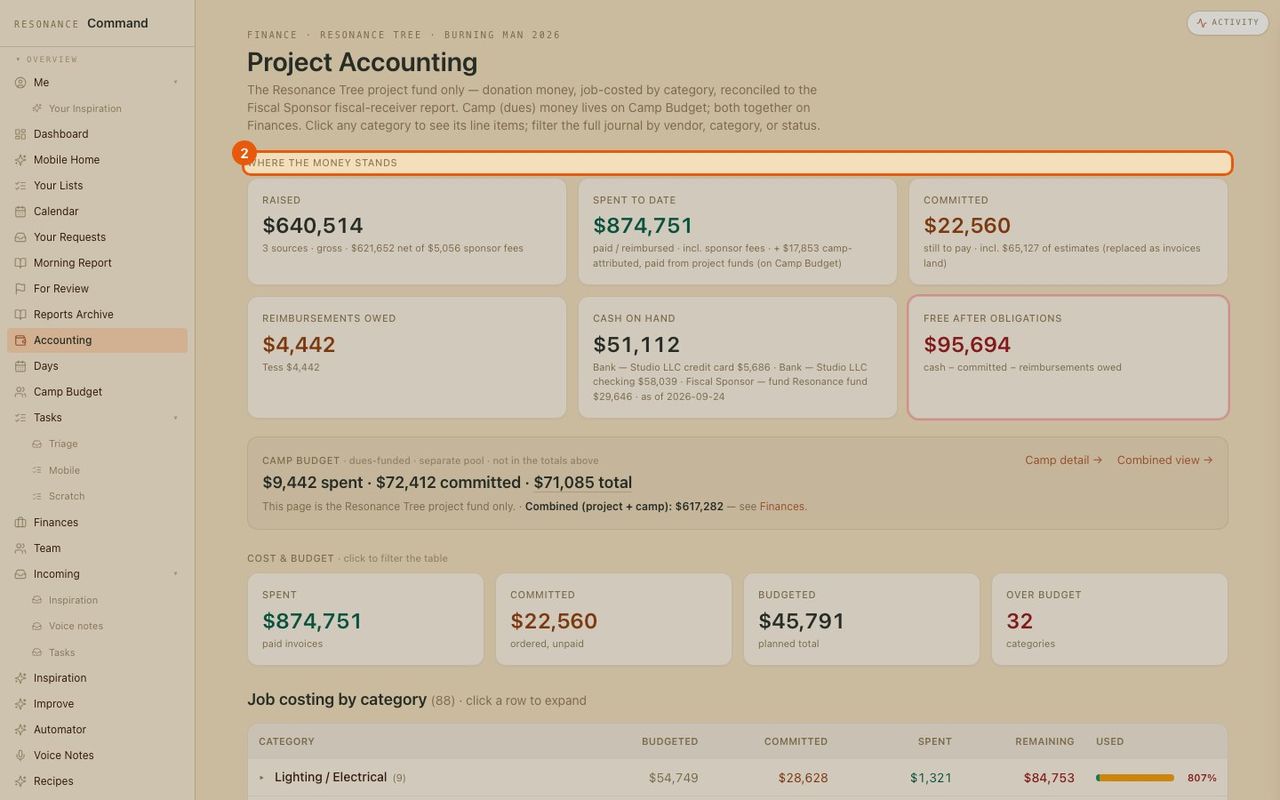
- 2
Where the money stands
Raised, spent, committed, owed and cash on hand, at the top.
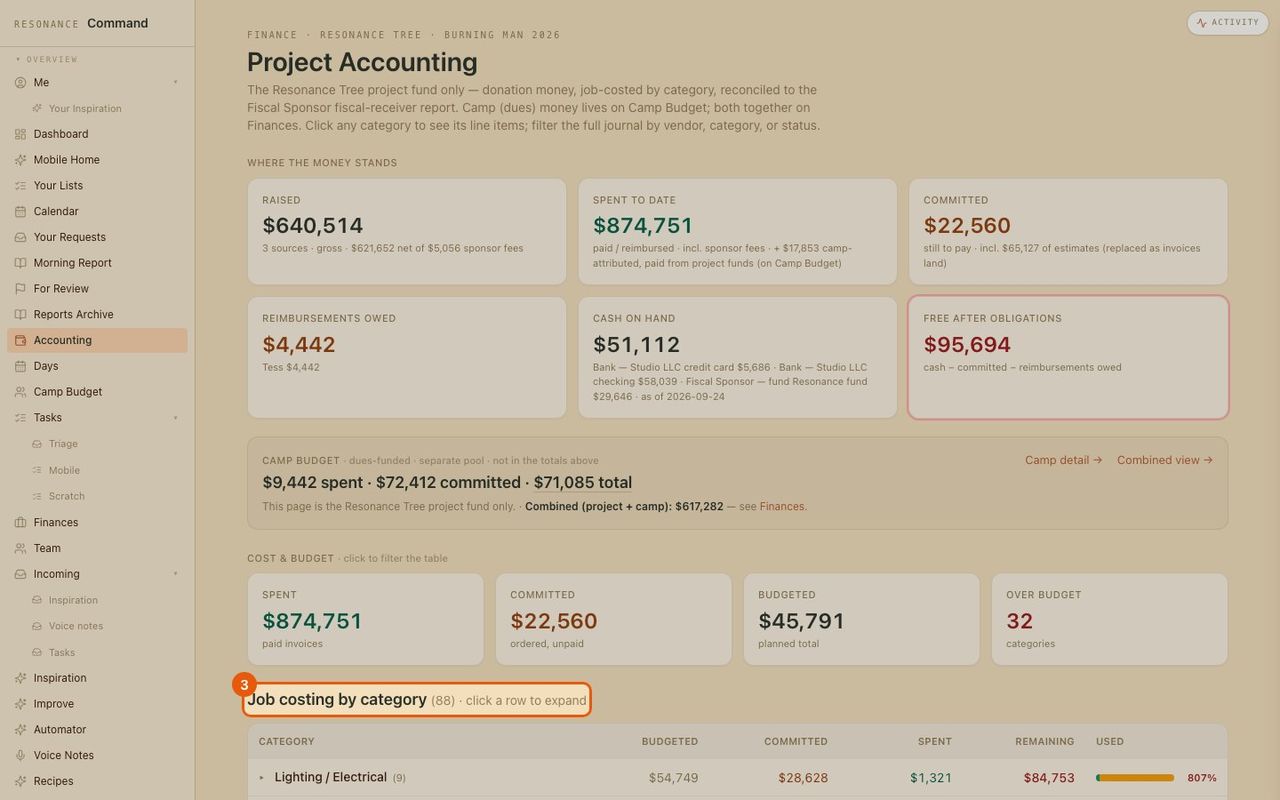
- 3
Budget by category
Each category with budget, committed, spent, remaining and a used bar.
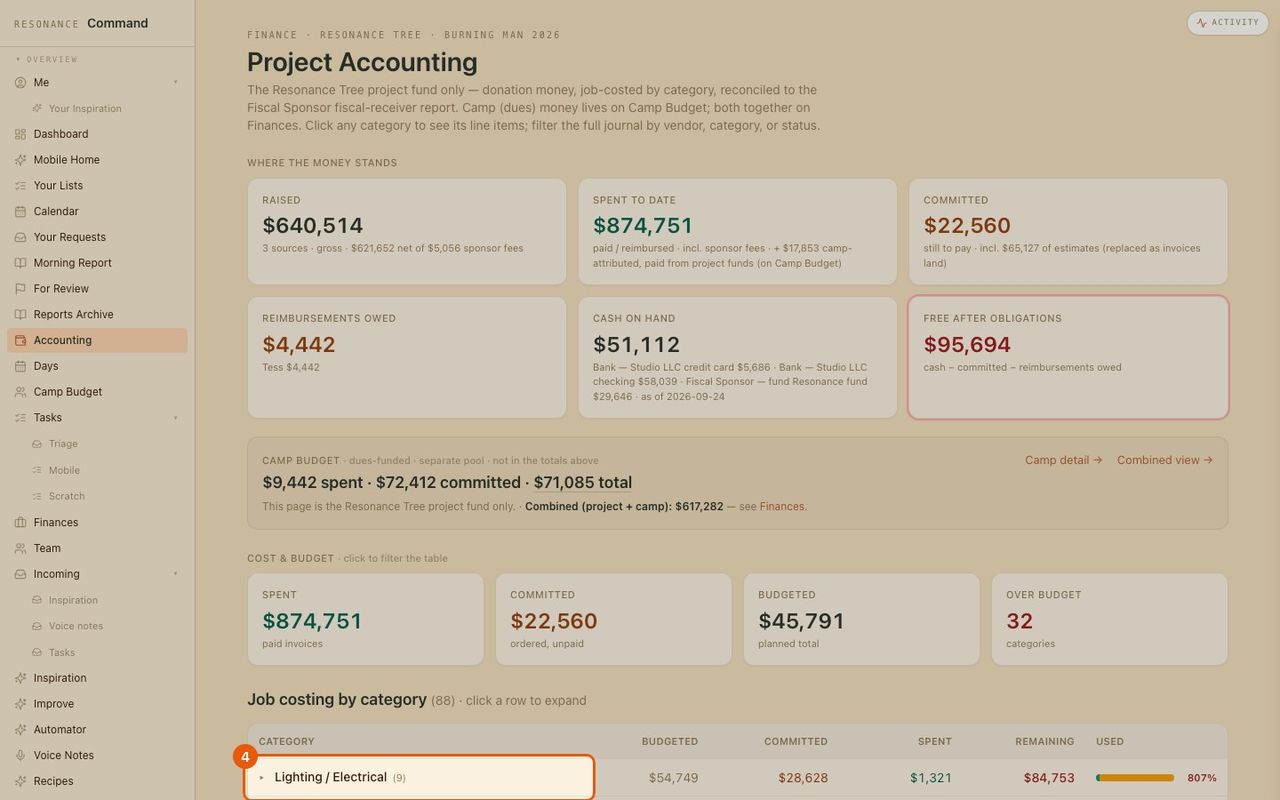
- 4
Open a category
Click a row to expand it.
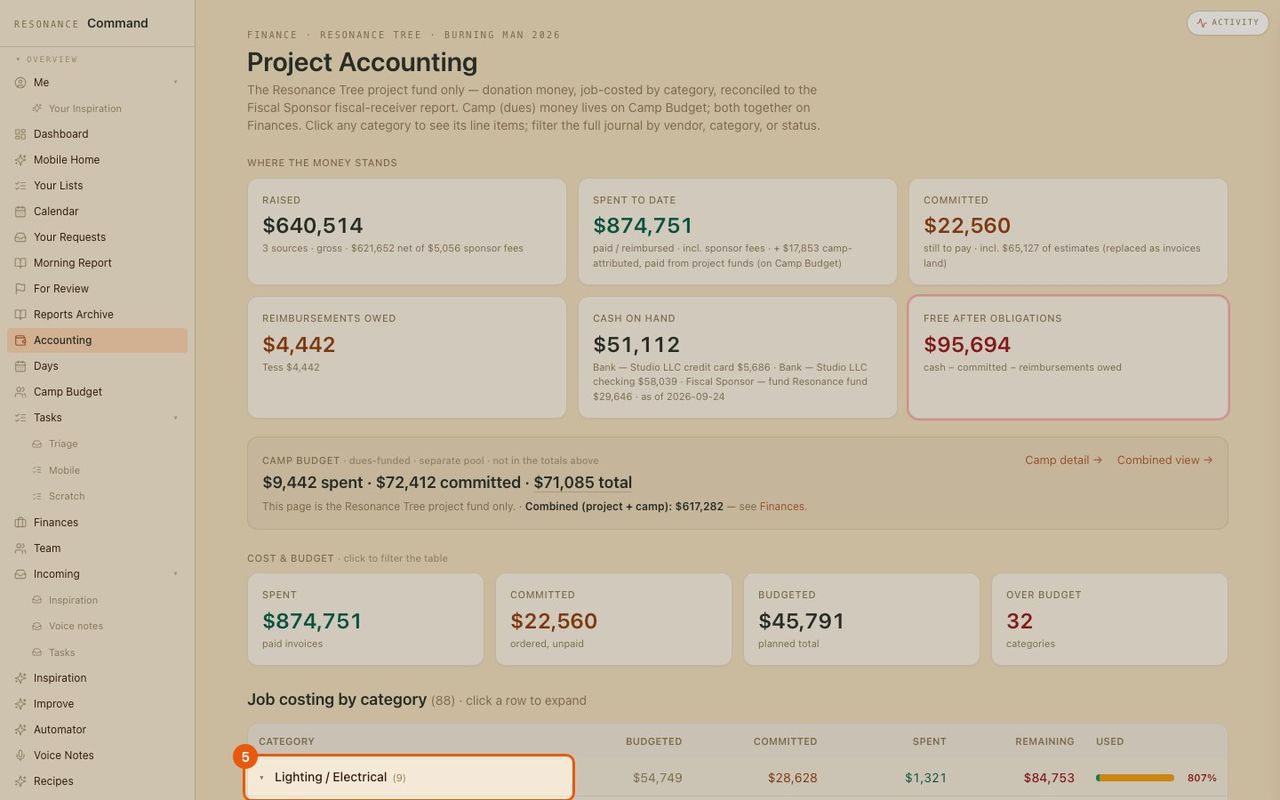
- 5
Every line item behind it
The invoices and receipts that make up that category.
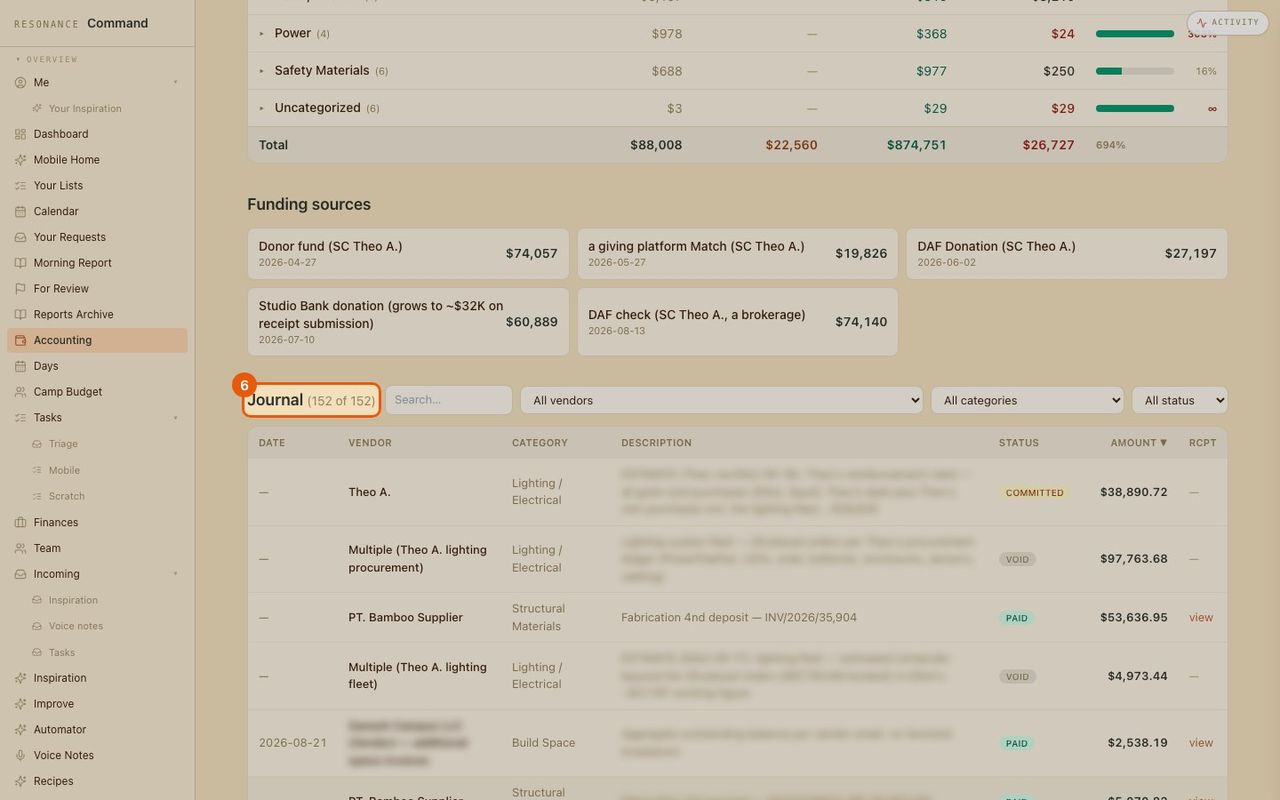
- 6
Search the journal
Every transaction, filterable by vendor, category and status, with a link to the receipt.